Step-by-Step Guide for First-Time Applicants
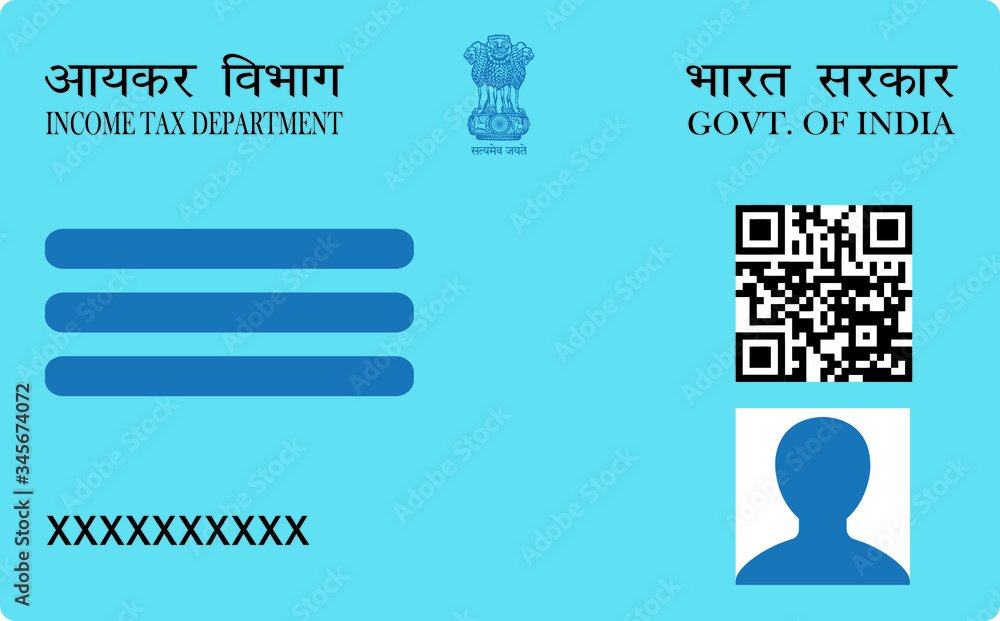
A Permanent Account Number (PAN) card is a crucial document issued by the Income Tax Department of India. It’s mandatory for various financial transactions such as opening a bank account, filing income tax returns, and more. If you’re a first-time applicant, this guide will walk you through the entire process of applying for a PAN card online. We’ll cover everything from eligibility, required documents, and the steps to complete the online application using UTIITSL or NSDL.
Step 1: Check Eligibility for a PAN Card
Before you begin your application, it’s essential to check whether you are eligible for a PAN card.
**Who is eligible to apply for a PAN card?**
Any Indian citizen, including minors and NRIs (Non-Resident Indians), is eligible to apply for a PAN card. In fact, anyone who engages in taxable financial transactions in India must have a PAN card.
**Why do you need a PAN card?**
A PAN card is not only required for tax purposes, but it is also essential for conducting various activities such as buying property, investing in mutual funds, or making deposits over Rs. 50,000 in a bank account.
Step 2: Gather the Necessary Documents
Before starting the online PAN card application, gather the required documents. Submitting incorrect documents can result in rejection, so make sure everything is accurate.
**Required Documents for PAN Card Application**
- Proof of Identity: Aadhaar card, voter ID card, passport, or driving license.
- Proof of Address: Utility bills, Aadhaar card, voter ID, or rent agreement.
- Proof of Date of Birth: Birth certificate, matriculation certificate, or passport.
- Passport-sized Photograph: Digital version required for online submission.
**Common Document Rejections and How to Avoid Them**
- Ensure the name and date of birth on all documents match exactly.
-
Photos should be clear and meet the required specifications (explained in Step 5).
Step 3: Choosing UTIITSL or NSDL for Application
There are two official portals to apply for a PAN card: UTI Infrastructure Technology Services Limited (UTIITSL) and National Securities Depository Limited (NSDL). Both platforms allow you to apply for a PAN card online, but there are some differences.
**UTIITSL vs. NSDL: Which one should you choose?**
- **NSDL**: Slightly quicker processing times and a more user-friendly interface.
- **UTIITSL**: Often preferred for corporate or business PAN applications but equally useful for individuals.
Both platforms offer the same final result, so you can choose based on personal preference or ease of use.
Step 4: Filling Out the Online PAN Card Application
Once you have selected a platform (either UTIITSL or NSDL), you can begin filling out the online PAN card application form.
**How to Fill PAN Card Form Online (Step-by-Step Guide)**
- **Visit the official website**: Go to either the [UTIITSL](https://www.utiitsl.com/) or [NSDL](https://www.protean-tinpan.com/) website.
- **Choose the PAN card application form**: Select the form for individual applicants (Form 49A).
- **Fill in personal details**: Include your full name, date of birth, contact information, and Aadhaar number.
- **Select the appropriate category**: Ensure you choose “Individual” under the applicant type.
- **Review the details**: Double-check for accuracy before proceeding.
Step 5: Uploading Photo and Signature
Once the application form is complete, you will be asked to upload your passport-sized photograph and a digital signature.
**PAN Card Photo and Signature Upload Guidelines**
- **Photo size**: 213 x 213 pixels (maximum file size: 50 KB).
- **Signature size**: 213 x 213 pixels (maximum file size: 20 KB).
- – Ensure the photo has a white background, and your face is clearly visible.
**Use our PAN card photo resizer tool**
To avoid rejections due to incorrect photo dimensions, use our [PAN card photo resizer tool](https://indianpancardphotoresizer.in/). It helps you resize your photo and signature to meet the exact specifications required by the PAN card application process.
Step 6: Payment and Submission
After uploading the required documents, you will need to make the payment for processing your PAN card application. The fee varies based on whether the communication address is in India or outside India.
**Payment Methods**
- UPI
- Debit/Credit Card
- Net Banking
Once the payment is successfully made, you will receive an acknowledgment slip containing a 15-digit acknowledgment number. Keep this number safe as it is crucial for tracking your PAN card application status.
Step 7: Verifying Your PAN Card Application
After submitting your application, you can verify the status of your PAN card online. Use your acknowledgment number on the portal where you submitted your application.
**How to Check PAN Card Status**
- Visit the [UTIITSL](https://www.trackpan.utiitsl.com/) or [NSDL](https://www.protean-tinpan.com/pantan/StatusTrack.html) status tracking page.
- Enter your acknowledgment number and submit.
- You will be able to view the current status of your application (e.g., “Under Review,” “Dispatched”).
**What if there’s a delay or rejection?**
If your application is rejected, you will receive a notification with the reason for rejection. You can then make the necessary corrections and resubmit.
Coclusion
Applying for a PAN card online is a straightforward process if you follow the correct steps. Ensure that you have the right documents, choose the platform that suits you best (UTIITSL or NSDL), and use tools like our photo resizer to avoid common mistakes.