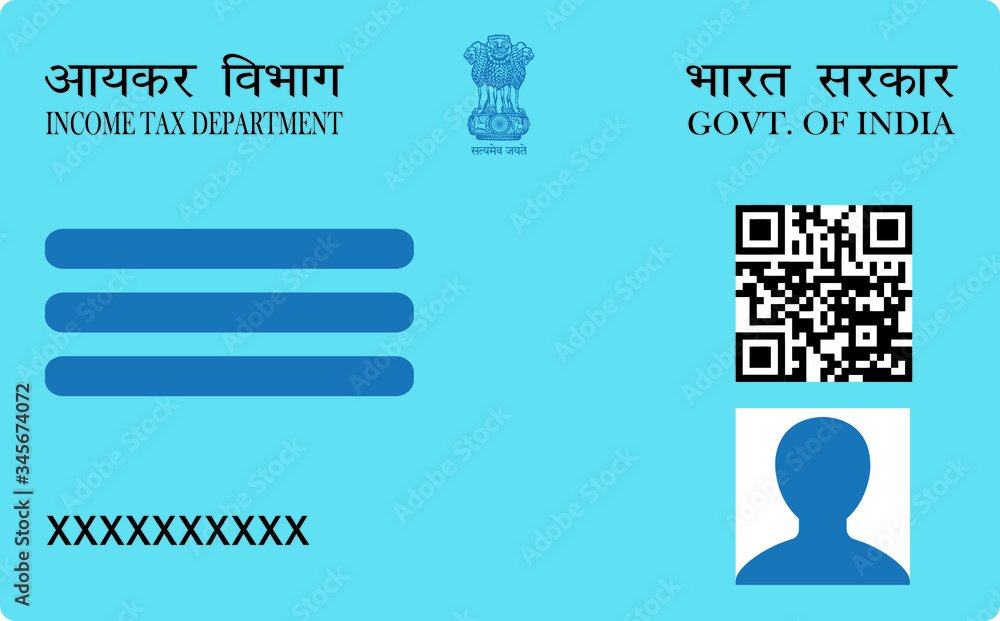
The PAN card correction form — officially Request for New PAN Card or/and Changes or Correction in PAN Data — has one rule that decides whether your application does anything at all: the department only processes the fields whose check box you ticked in the left margin. Filling a field in is not enough. Tick nothing, and you receive a reprint of the card you already have.
That single mechanic causes most wasted correction applications. This page explains what each part of the form does, which boxes to tick for which outcome, and the file sizes your photo and signature must meet.
The Left-Margin Check Box Rule
Every row on the form — name, father’s name, date of birth, address, photograph, signature — has a small check box to its left. That box is the instruction. The field content is only the data.
| What you want | What to tick | Outcome |
|---|---|---|
| Correct your name only | The name row only | Name updated, everything else untouched |
| Change photo and signature | Photograph row + signature row | Both replaced on the reprinted card |
| A replacement card, nothing changed | Nothing at all | Straight reprint of existing data |
Both directions of this rule catch people out. Upload a new photograph but leave its box unticked and the application is accepted, the fee is taken, and the card arrives with the old photo. Tick a box when you only wanted a lost card replaced, and a simple reprint becomes a correction request that can pull in verification you did not need.
Photo and Signature Sizes for the Correction Form
A correction application is held to exactly the same file requirements as a first-time application. There is no relaxed standard for corrections.
| Upload | Format | Max size | Other |
|---|---|---|---|
| Photograph | JPEG | 50 KB | White background, passport proportions |
| Signature | JPEG | 20 KB | Black or dark blue ink, plain white unruled paper |
| Supporting document | 300 KB | Not needed with Aadhaar e-KYC |
Size the files before you open the form, so a session does not expire while you hunt for a tool. Use the photo resizer for the 50 KB photograph, the signature resizer for the 20 KB signature, and the document resizer for supporting documents. All three run inside your browser, so nothing is uploaded to anyone.
Filling the Form Field by Field
PAN number
Enter it exactly as printed on your existing card. A mismatch rejects the application at validation, before any other field is examined.
Full name
Enter your name as you want it printed. If you are correcting a spelling, tick the name box and supply proof carrying the corrected spelling. The name on your supporting document must match what you have typed — not approximately, exactly.
Name to appear on the card
This is a separate field from your full name and it trips people up. It controls the printed line on the card itself. Leave it consistent with your full name unless you have a specific reason, such as dropping a middle name for length.
Father’s name
Required for individual applicants regardless of whether you are changing it. Married women applicants are still asked for father’s name rather than husband’s name on the standard individual form.
Date of birth
Changing this requires proof that carries the corrected date — a birth certificate, matriculation certificate or passport. This is among the more heavily scrutinised corrections, because date of birth is a primary identity field.
Address
If you are changing address, the proof you attach must show the new one. A common failure is submitting proof of the old address while typing the new one.
Aadhaar e-KYC and What It Does to Your Photo
Choosing Aadhaar-based e-KYC with OTP verification is the fastest route: your details are verified electronically, and no documents need uploading or posting.
There is a consequence worth knowing before you choose it. When an application runs through Aadhaar e-KYC, the photograph held in your Aadhaar record may be carried onto the PAN card. If your entire purpose is to put a particular new photograph on the card, e-KYC can quietly defeat that. Check at the upload step which image the application is actually carrying, and use the non-e-KYC route if it is taking the Aadhaar photo instead of yours.
Where to Submit
The form is available through Protean (formerly NSDL e-Governance) and UTIITSL. Both are authorised PAN service agencies operating under Income Tax Department rules, and both use identical file requirements. Use whichever you prefer; there is no advantage to either.
A processing fee applies and differs for Indian and foreign communication addresses. Check the current amount on the portal before paying — it is revised periodically. Save the acknowledgement number: it is the only way to track the application afterwards.
Frequently Asked Questions
What happens if I do not tick any box on the correction form?
You receive a reprint of your existing PAN card with all current details unchanged. That is the correct choice when your card is lost or damaged and the data on it is right. It is the wrong choice if you actually wanted something corrected.
Can I correct more than one field in a single application?
Yes. Tick every row you want changed. The fee is charged per application, not per field, so correcting four things at once costs the same as correcting one.
Do I need to send physical documents?
Not if you complete the application through Aadhaar-based e-KYC and e-Sign, where authentication happens by OTP. Without e-KYC, you upload supporting documents as PDF and may need to post signed paperwork.
What photo size does the correction form need?
JPEG under 50 KB with a white background and passport proportions — identical to a new PAN application. The signature must be JPEG under 20 KB. Corrections are not held to a different standard.
My correction was processed but the photo did not change. Why?
Almost always because the photograph box in the left margin was not ticked. The application succeeds, the fee is taken, and every ticked field updates — but an unticked photograph row is read as “no change requested”. You will need to submit a fresh correction request with that box ticked.
For the full specification behind each upload, see the NSDL photo and signature size requirements, or the step-by-step guide to changing the photo and signature on your PAN card.